Write It Once.
Repurpose It Everywhere. Instantly.
Post to X, LinkedIn, and GitHub. Send newsletters to your subscribers. Schedule a month in advance. 21 publish tools — all inside the editor, all drivable by your agent.
Free includes the full editor and publishing to your own blog. The platform starts at $19/mo.
Everything A Newsletter Stack Does. Built Into The Pad.
Connections, composer, queue, subscribers, sends, analytics, recurring slots. Six tools worth. Zero context-switching.
Post To X & LinkedIn
OAuth once. Draft in the compose view — character counter, thread builder, quote-tweet layout. Hit post when it's ready, or send it to the queue.
Send To Your Subscribers
Built-in newsletter. Import a list, bring your own domain, pick one of four layouts, hit send. Opens and clicks tracked automatically. No Mailchimp bill.
Schedule Ahead
Pick the time, hit schedule, move on. The queue posts it for you, even when you're offline.
Recurring Slots
Mon 9am, Wed 1pm, Fri 5pm — whatever your rhythm is. The queue fires at slot time. Skip any week with a keystroke.
Autoplugs
Reply to your own post three hours later. Link the newsletter. Thread the follow-up. Set it once — every post gets the same treatment.
Analytics Built In
Opens, clicks, impressions, replies. All per-post, per-issue. Nothing to configure, nothing to pipe into Mixpanel.
The Newsletter Your Agent Can Ship.
Draft the issue in the same editor you use for everything else. Pick a layout — essay, digest, announcement, or custom. Your agent can add the subject line, pull a featured image, even schedule the send. You read it once and hit send.
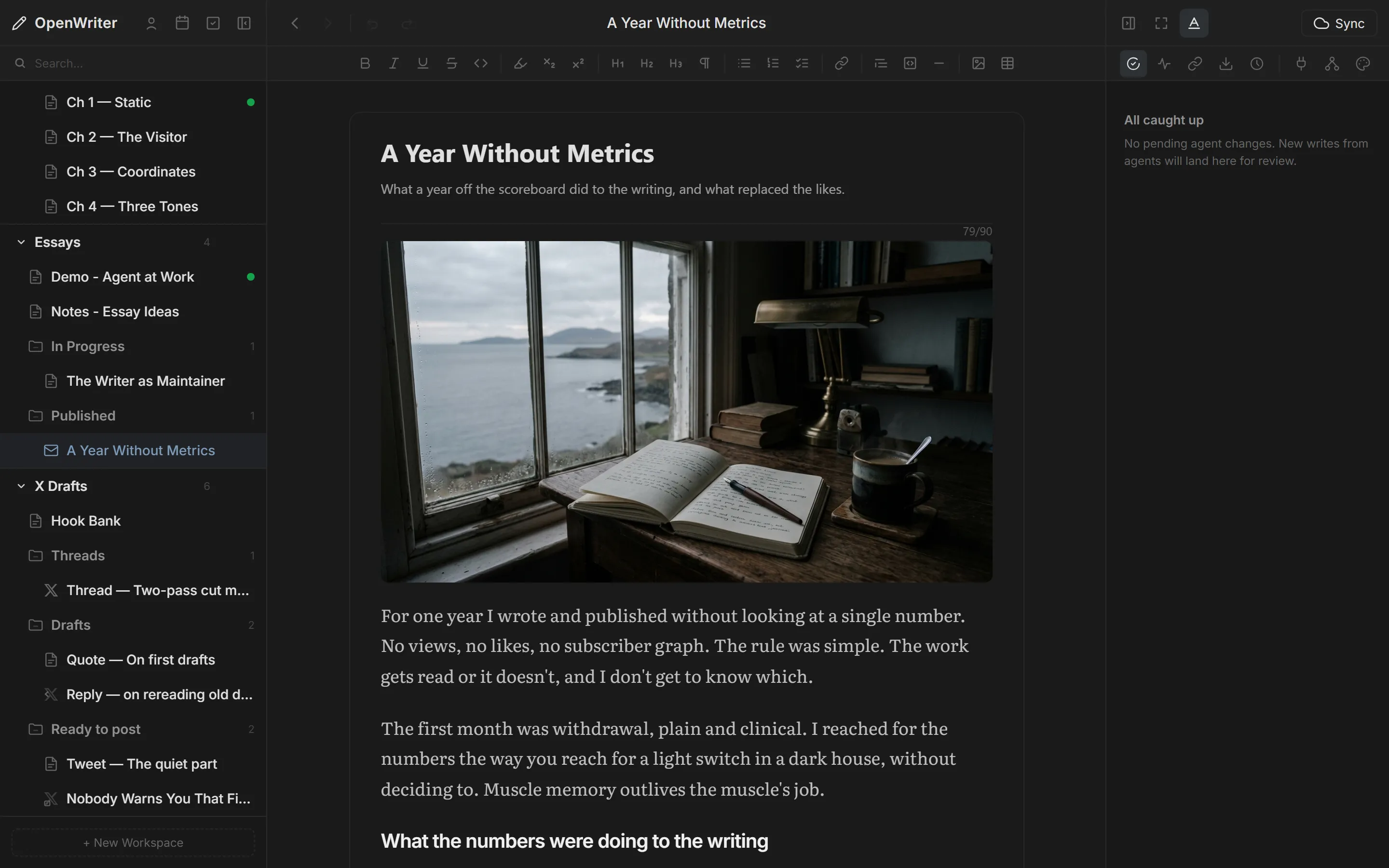
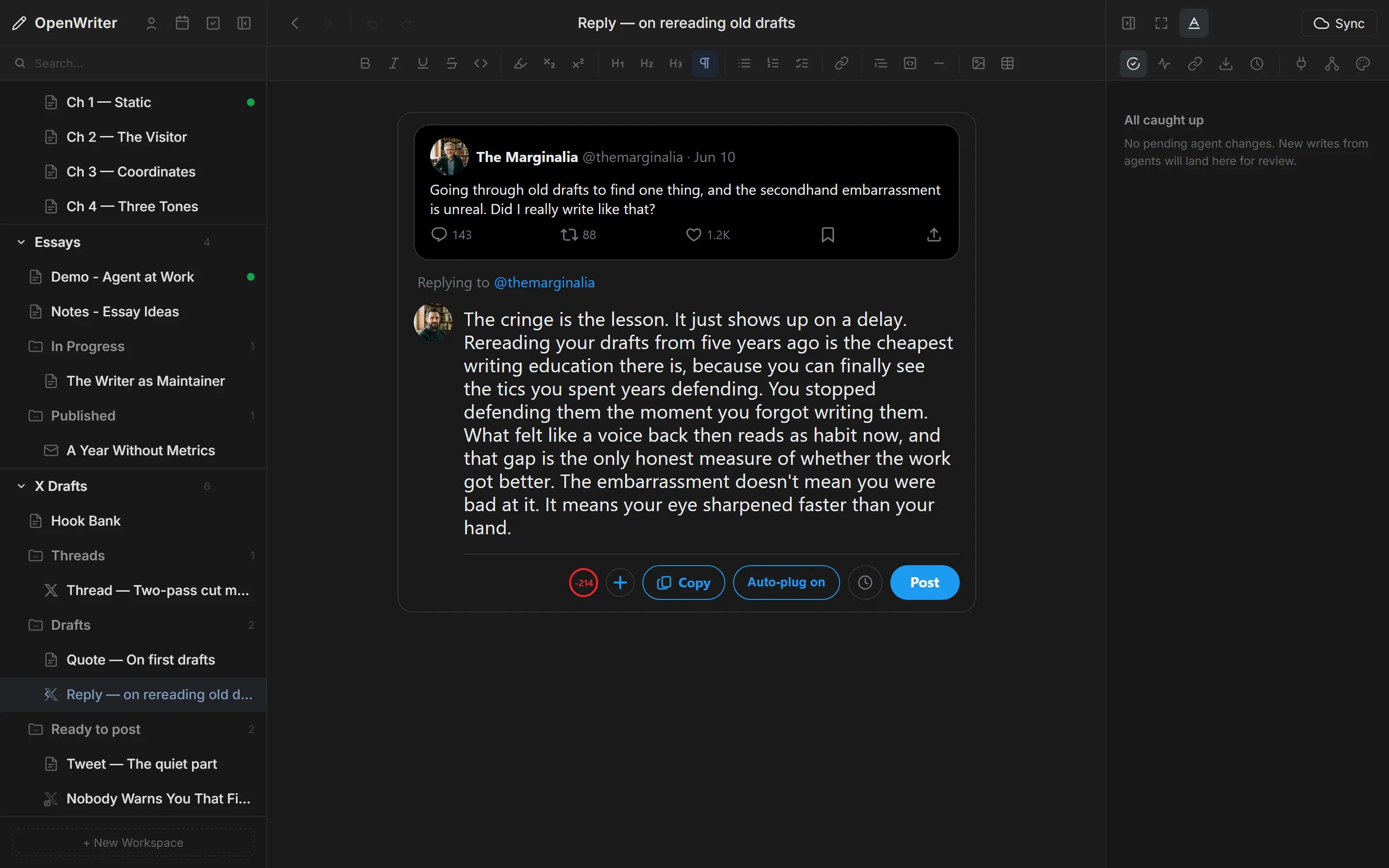
X Compose, Pixel-Accurate.
Not a generic text box — the actual X reply or quote layout, parent tweet rendered above, character counter where X puts it. Draft threads inline. Ask your agent for three alternatives. Post when it reads right.
Three Ways To Get A Post Out The Door.
Pick the one that fits how you work. They all end in the same place: your audience.
Post Now
One click. Lands on X or LinkedIn in under a second. For the hot take you don't want to lose.
Pick A Time
Tuesday 10:47am. Saturday after dinner. Whenever your audience is awake. The queue does the rest.
Queue To A Slot
Recurring slots for the week. Drop a draft in the next open slot. Your posting cadence runs whether you're online or not.
Every Post Plugs The Next Thing.
Write the rule once: "three hours after every tweet over 200 impressions, reply with the newsletter link." OpenWriter watches the metric and fires the plug automatically. Your top-of-funnel runs on autopilot — without the spammy everyone-plug-everything feel.
{
"trigger": "impressions > 200",
"delay": "3h",
"action": "reply_with_newsletter",
"naturalize": true
}
// The agent writes the reply copy —
// different angle every time,
// same link, same conversion.
"Write 5 tweets from today's essay,
space them Mon-Fri at 9am,
autoplug the newsletter on each."
// Agent drafts. You review.
// Green = pending. r = reject.
// a = accept. Queue populates.
// You close the laptop.
Your Agent Runs Publishing. You Decide.
Every publish tool is an MCP tool. Claude, Cursor, Windsurf, Codex — whichever agent you already trust can schedule your week, send your newsletter, or reply to a reader. You stay the editor. The agent stays the assistant.
Priced Like A Tool. Not Like A Tax.
The editor is free and open-source. One flat price unlocks every channel — no volume caps, no per-seat pricing, no limits on what you ship. Email is the only thing that scales with your audience, so it's the only thing priced that way.
Free
- Full editor — open source
- All 61 MCP tools
- Agent writing with accept/reject
- Publish to your own blog
- Version history & export
Publish
- Everything in Free
- The scheduler — book out days or weeks
- X & LinkedIn publishing
- Recurring slots & autoplugs
- AI image generation
- Custom domains
- Founding price — yours for life
- Annual: $190 (2 months free)
Publish + Email
- Everything in Publish
- Newsletter to your list
- Subscriber import & management
- Sending domains & signup embeds
- Open & click analytics
- Resend-to-unopened
- Annual: $490 (2 months free)
Compare Plans
| Free | Publish | Publish + Email | |
|---|---|---|---|
| Editor | Full | Full | Full |
| MCP Tools | 61 | 61 | 61 |
| Publish To Your Own Blog | ✓ | ✓ | ✓ |
| X & LinkedIn | — | ✓ | ✓ |
| Scheduler & Recurring Slots | — | ✓ | ✓ |
| Autoplugs | — | ✓ | ✓ |
| AI Image Generation | — | 25/mo, BYO key: unlimited | 100/mo, BYO key: unlimited |
| Custom Domains | — | ✓ | ✓ |
| Publication Tracking | — | ✓ | ✓ |
| Newsletter & Email | — | — | ✓ |
Before You Decide
Is the editor free?
Yes. The OpenWriter editor is open-source (MIT) and completely free. Paid plans only cover the publish platform: external channels, the scheduler, and the newsletter.
Why is email a separate tier?
Email is the one channel with a real per-subscriber cost. Publish stays flat at $19 because the other channels cost nothing to serve — social-only writers never subsidize email infrastructure.
Can I use my AI agent for free?
Yes. The MCP tools and pending-change review are part of the free, open-source editor. Every tier gets all 61 tools.
What about Author's Voice?
Author's Voice is a separate plugin with its own pricing — the Fast model is free, and premium models run on a prepaid wallet starting at 1¢ per rewrite. See the Author's Voice docs for details.
Do I need a paid plan to publish?
No. The free tier publishes to your own OpenWriter blog. Paid starts when you want the scheduler and external channels — X, LinkedIn, and the newsletter.
Ship It Without Switching Tabs.
Connect your channels. Fill the queue. Let the agent run the rhythm. Start free — upgrade the day you're ready to book it out everywhere.
Install The Skill