Features
Everything in the editor.
A real editor your agent writes into, a review flow that keeps you the author, six compose views, books that compile to EPUB, and publishing from the same page.
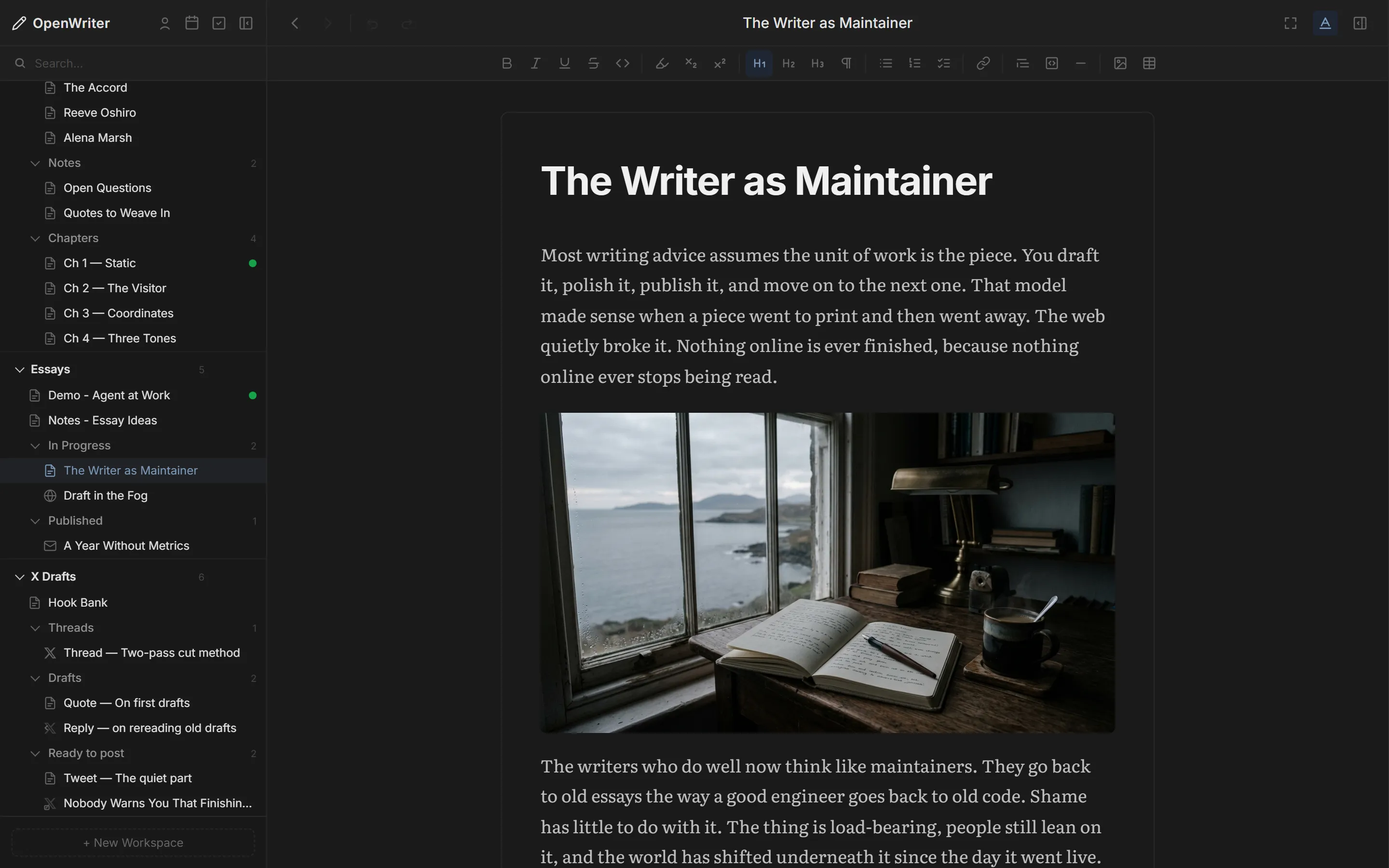
Editor
A real editor, not a text box.
Tiptap 3 under the hood, the same document you and your agent both edit, saved as plain Markdown on your disk.
- Headings, lists, task lists, tables, code
- Markdown shortcuts as you type
- Images inline or as covers
- Bookmarks and a heading navigator
- Focus mode with the panels hidden
- Export Markdown, HTML, Word, PDF
Review
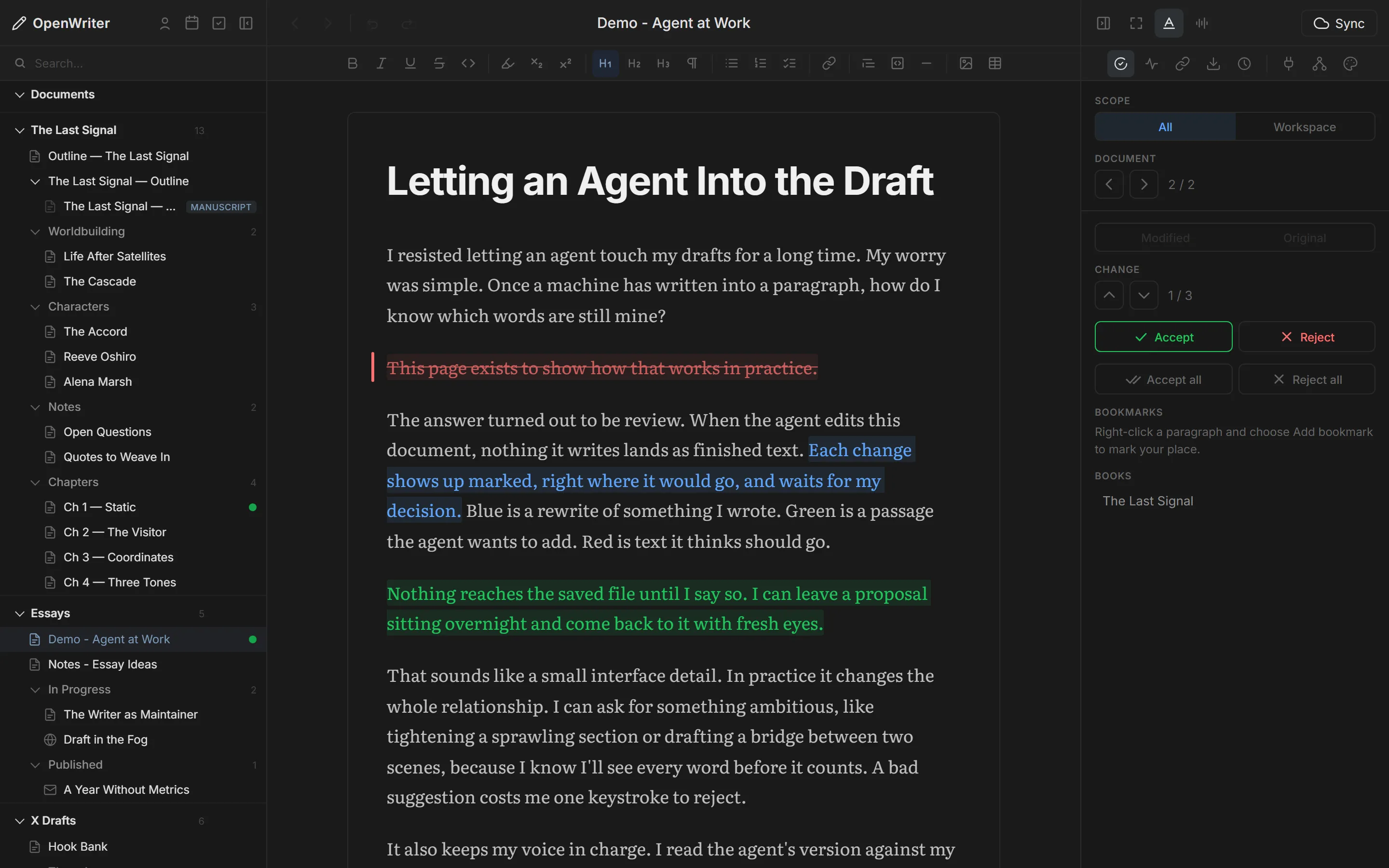
Your AI writes. You stay the author.
Agent edits arrive as marked changes, down to part of a sentence. They survive a restart, and accepting a change resolves the comments it covers.
- Insert
- new text from the agent
- Rewrite
- your sentence, reworded
- Delete
- a cut it suggests
- jk next / previous
- a accept
- r reject
- ⇧A accept all
- ⇧R reject all
Formats
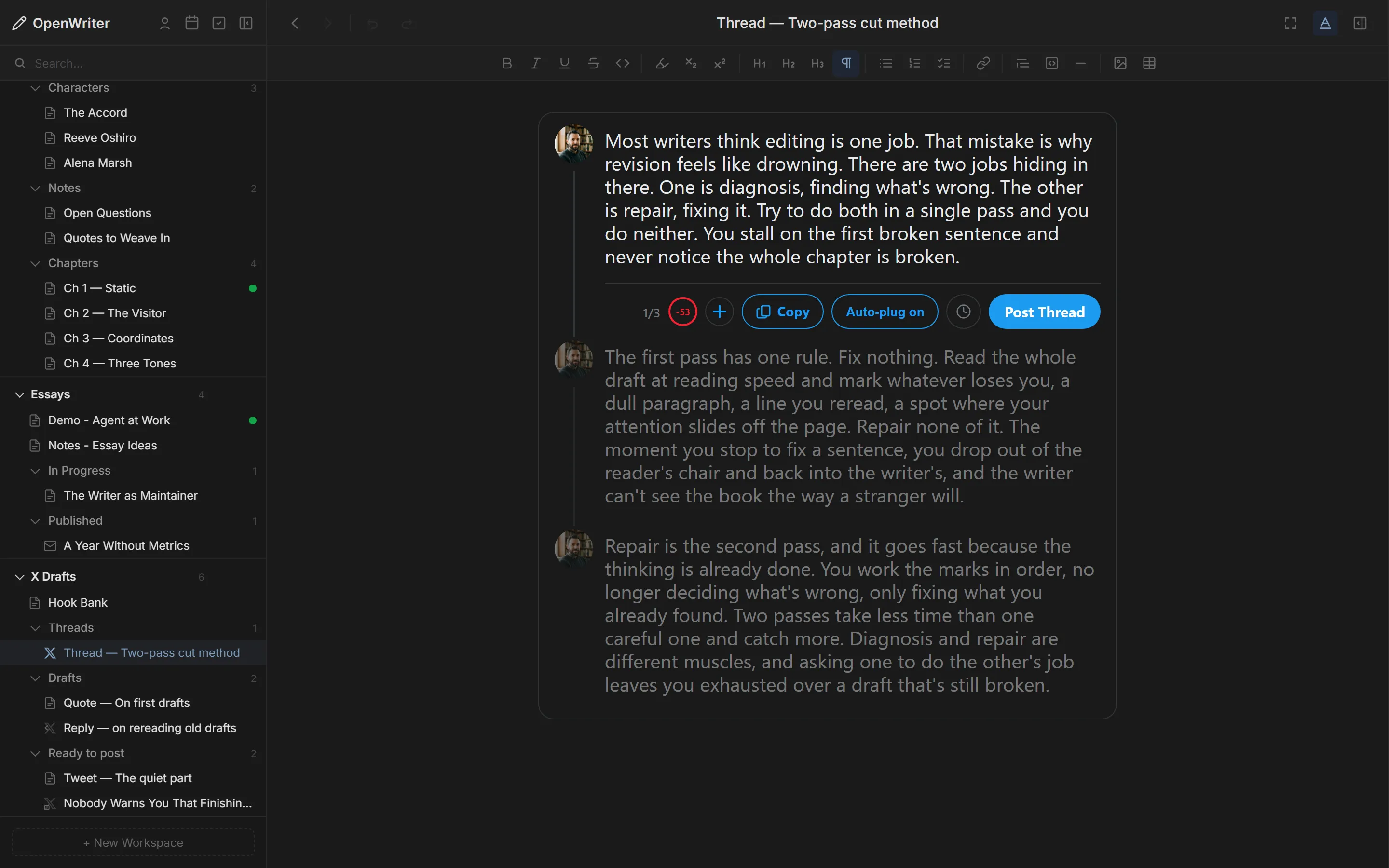
Six compose views.
Each one is shaped like where the words are going. Switch without leaving the editor.
- DocumentFull formatting for notes, chapters and drafts.
- Tweet & thread280-character checks, up to 4 images, replies and quotes with a target you can change.
- X ArticleCover, title and description warnings, and a Post to X button.
- BlogTitle, description, tags, slug, date and draft. Publishes to your repo, then Republish.
- NewsletterSubject, preview text and a true email preview.
- ManuscriptBinds chapter docs into one book and exports EPUB.
Books
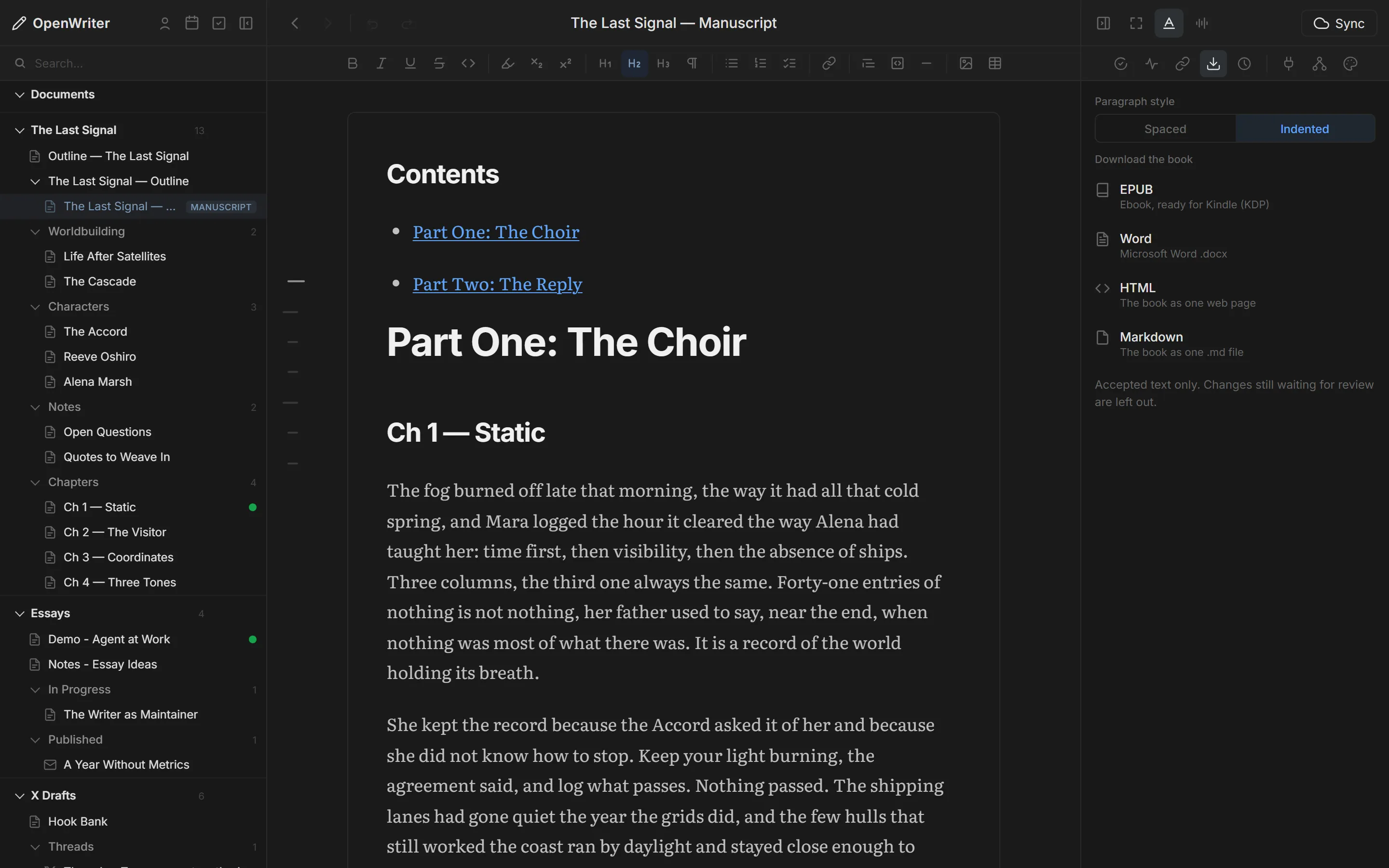
Write the book. Export the EPUB.
Chapters, characters and worldbuilding live as separate docs. A manuscript binds them in order and compiles one book you can preview in the app.
- PlanAn outline of chapter links under part headings, with an optional table of contents.
- DraftThe Book-Writer skill drafts from beats, chapter by chapter.
- ExportEPUB for Kindle, Word, HTML or Markdown. Spaced or indented paragraphs.
Attribution
Know which words are yours.
OpenWriter records who wrote each paragraph as you and your agents work, and keeps it through edits, splits and paste.
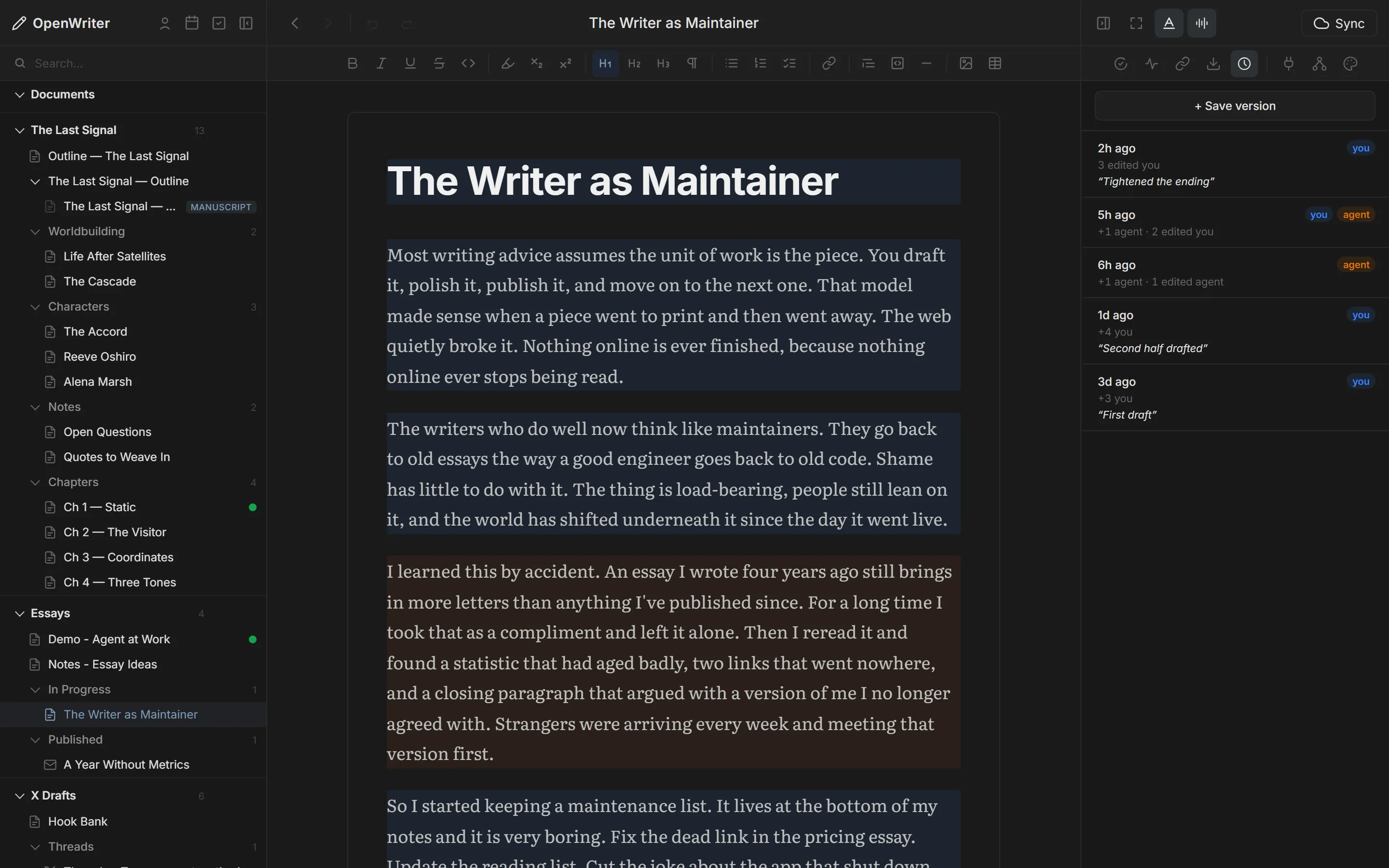
- Voice toggle tints by author
- Hover for the you/agent split
- Versions as attributed commits
- One-click restore
- Agent marks: notes to your agent
- Comments you can step through
Organize
A novel is a folder. So is a year of newsletters.
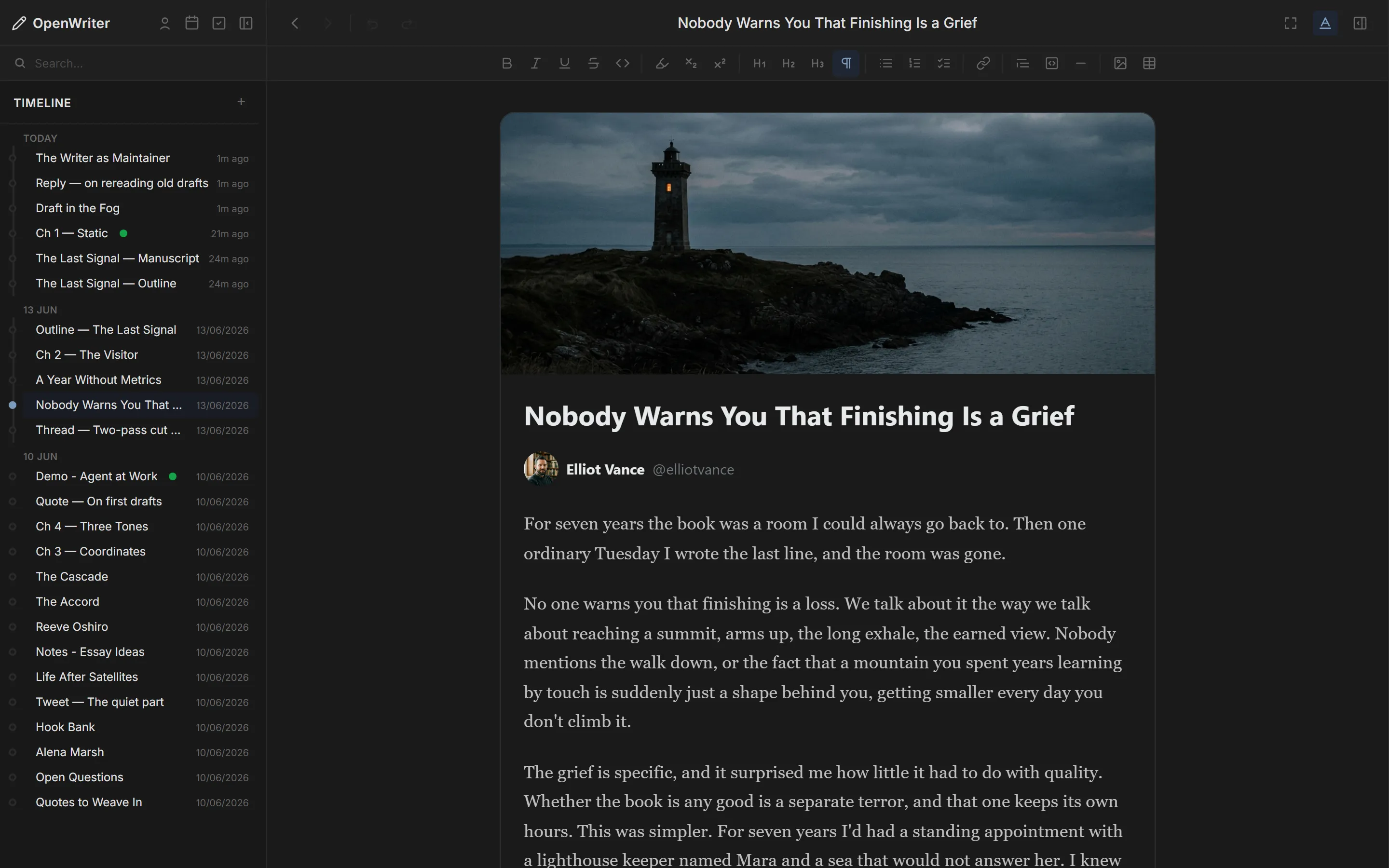
Workspaces hold your projects with folders as deep as you need. Three sidebar views work on the same workspace.
- Files the workspace tree
- Timeline by day, latest first
- Board workspaces as a strip
- Tags across workspaces
- Variants nested under a source
- Search, move, rename, archive
Appearance
Light or dark. Serif or sans.
Tune the page until only the words are left. Fonts ship with the app.
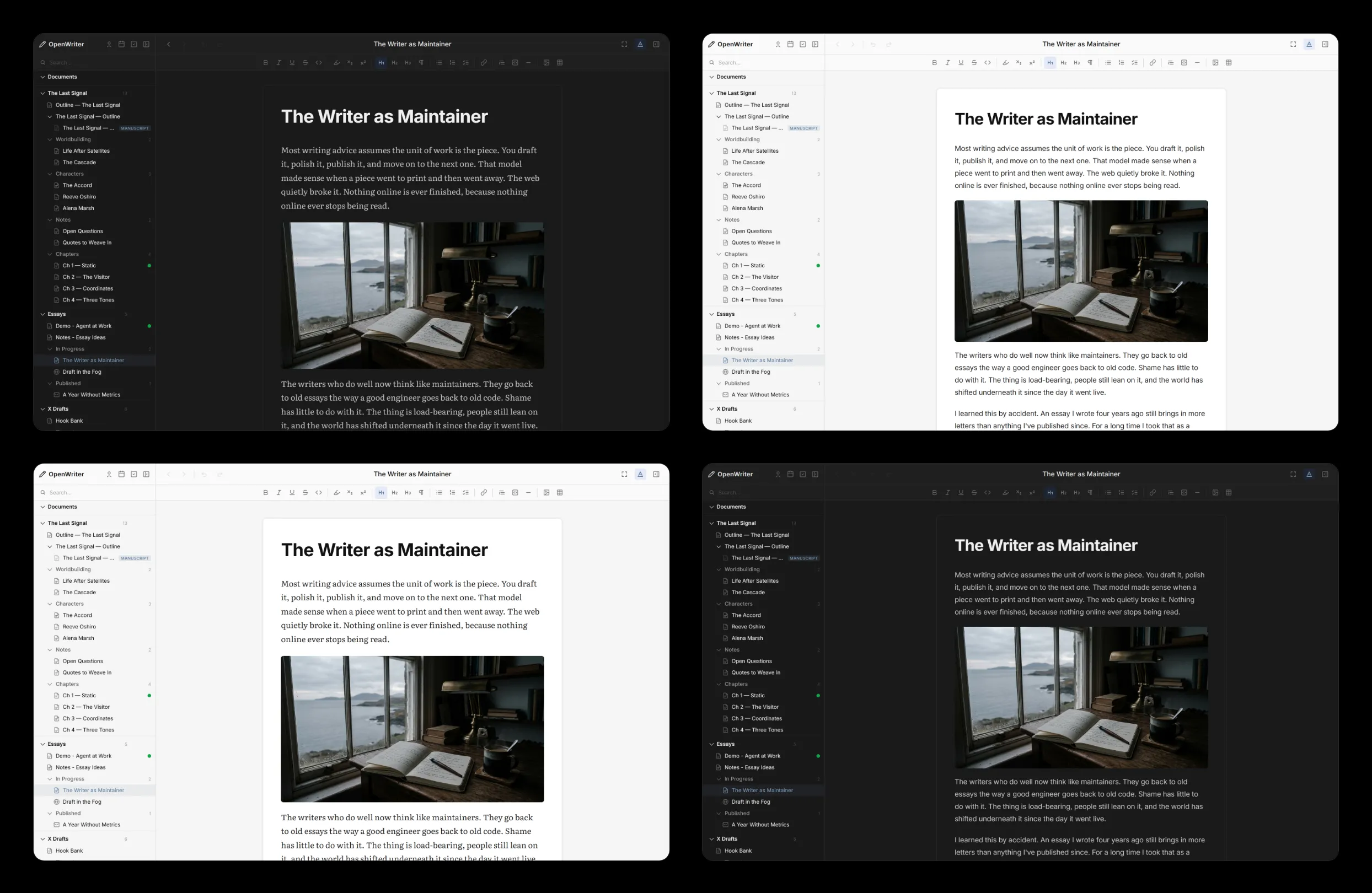
- 2 modesLight and dark.
- 9 typefacesCharter, Source Serif, Crimson, Baskerville, Literata, Inter, Grotesk, DM Sans, Plex Mono.
- 4 canvasesSeamless, Outline, Page, Paper.
- 4 spacingsDefault, Web, Blog, Butterick.
Agents
61 tools for your agent.
Any MCP agent can read, write, search and organize your work: Claude Code, Codex, OpenCode, Cursor, Windsurf, Copilot, VS Code, Zed. The Publish plugin adds 29 tools and GitHub adds 6.
Full tool referenceDocuments read_pad · edit_text · write_to_pad Workspaces create_workspace · move_item Search search_docs · browse_docs Versions list_versions · restore_version Attribution get_attribution Review get_agent_marks · get_comments Books compile_manuscript Images insert_image
Install it. Start writing in a minute.
One command installs OpenWriter and connects your agent. Free and open source.