Open source · MIT
The writing surface
designed for your agent.
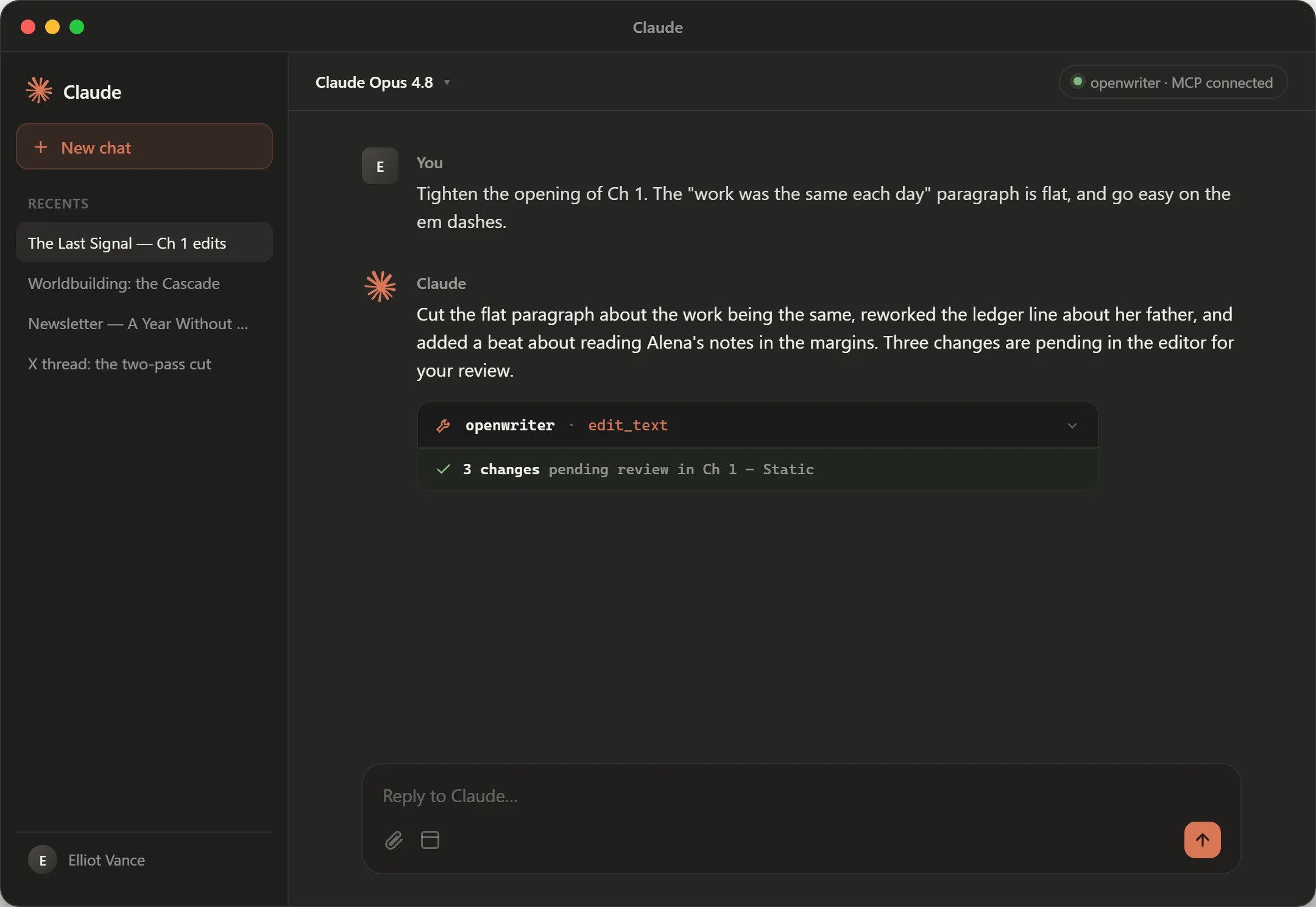
Your agent drafts posts, newsletters and whole books inside a real editor. Every change waits for your keystroke. Then it ships to X, your blog, your list or Kindle from the same page.
Works with any MCP agent
 Claude Code
 Codex
Codex OpenCode
 Cursor
 Windsurf
 Copilot
 VS Code
 Zed
Zed
Review
Your AI writes.
You stay the author.
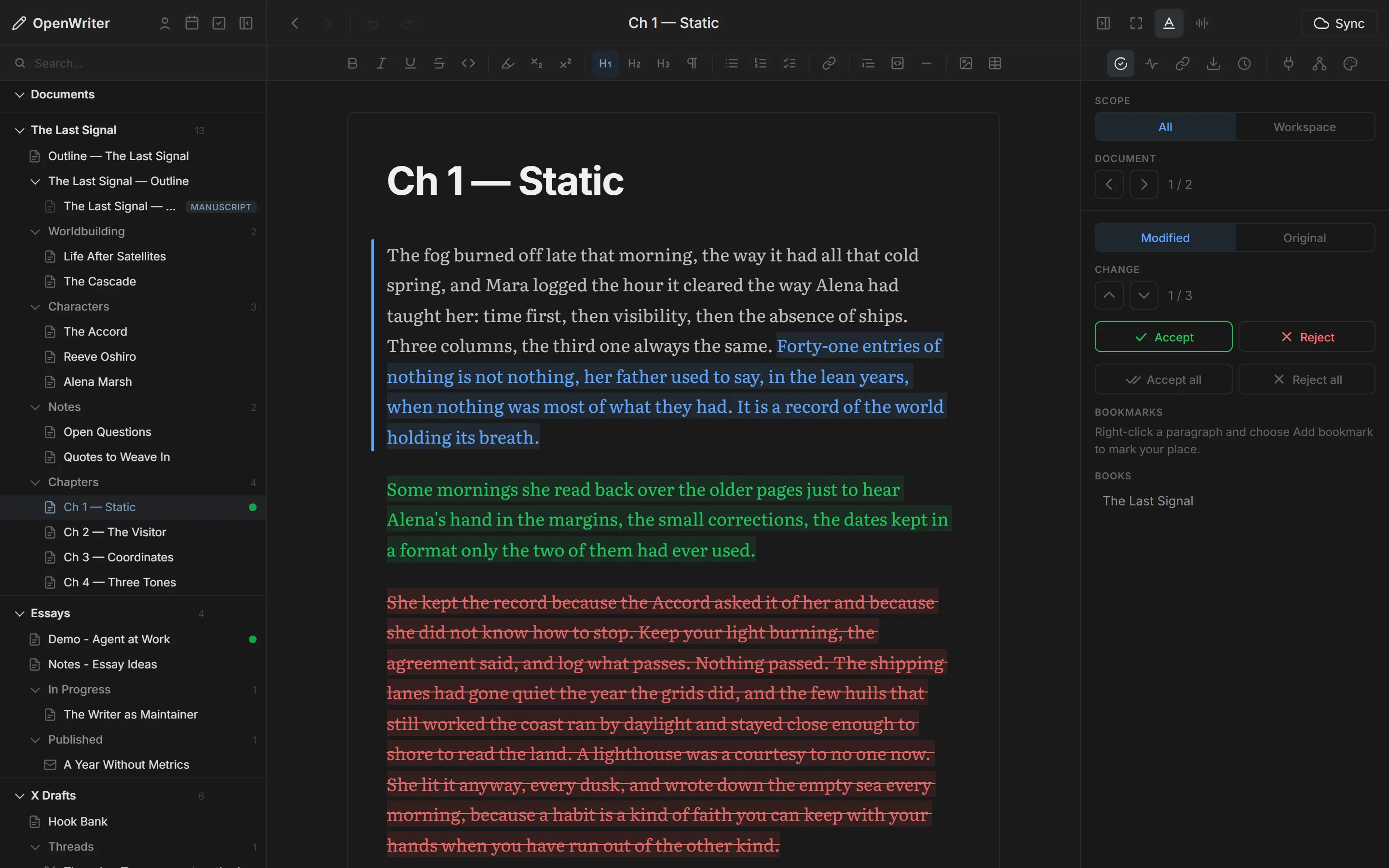
Agent edits land as marked changes, never silent overwrites. Step through them with the keyboard and keep only what you would have written yourself.
- Insert
- new text from the agent
- Rewrite
- your sentence, reworded
- Delete
- a cut it suggests
- jk next / previous
- a accept
- r reject
- ⇧A accept all
How it works
MCP + Tiptap + Markdown.
Your agent connects over MCP, edits the same Tiptap document you type in, and every change is saved as plain Markdown on your disk. A protocol, an editor, a file format. All open.
---
title: Ch 1 — Static
---

The fog burned off
late that morning,
the way it had all
that cold spring,
and Mara logged the
hour it cleared.

She kept the record
because the Accord
asked it of her. Compose
One editor. Every format looks like where it's going.
Write a thread in a thread, an article in an article, an email in an email. The agent writes into the same view you review.
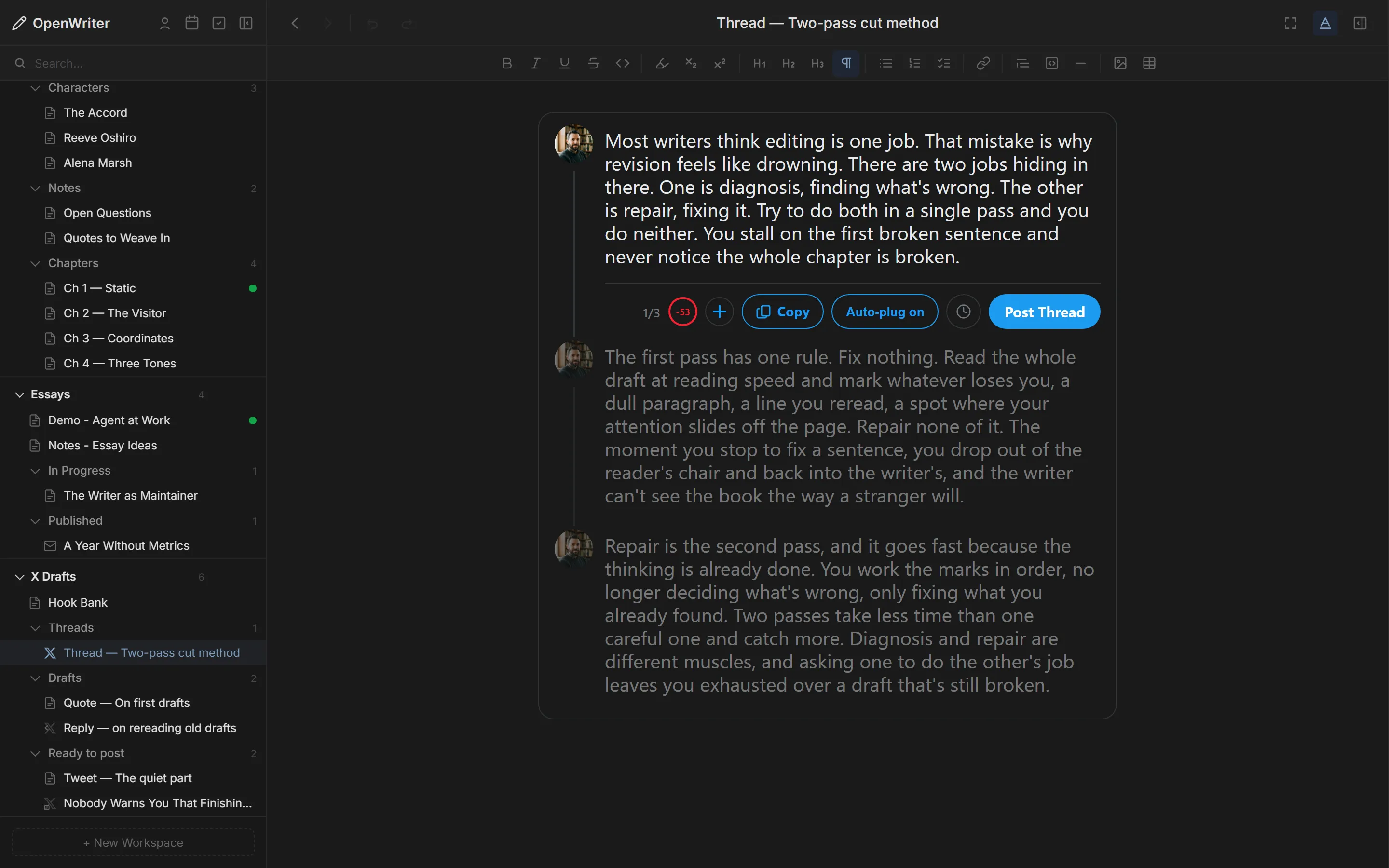
Split tweets with a line. Each one is checked against 280 characters, with up to four images apiece.
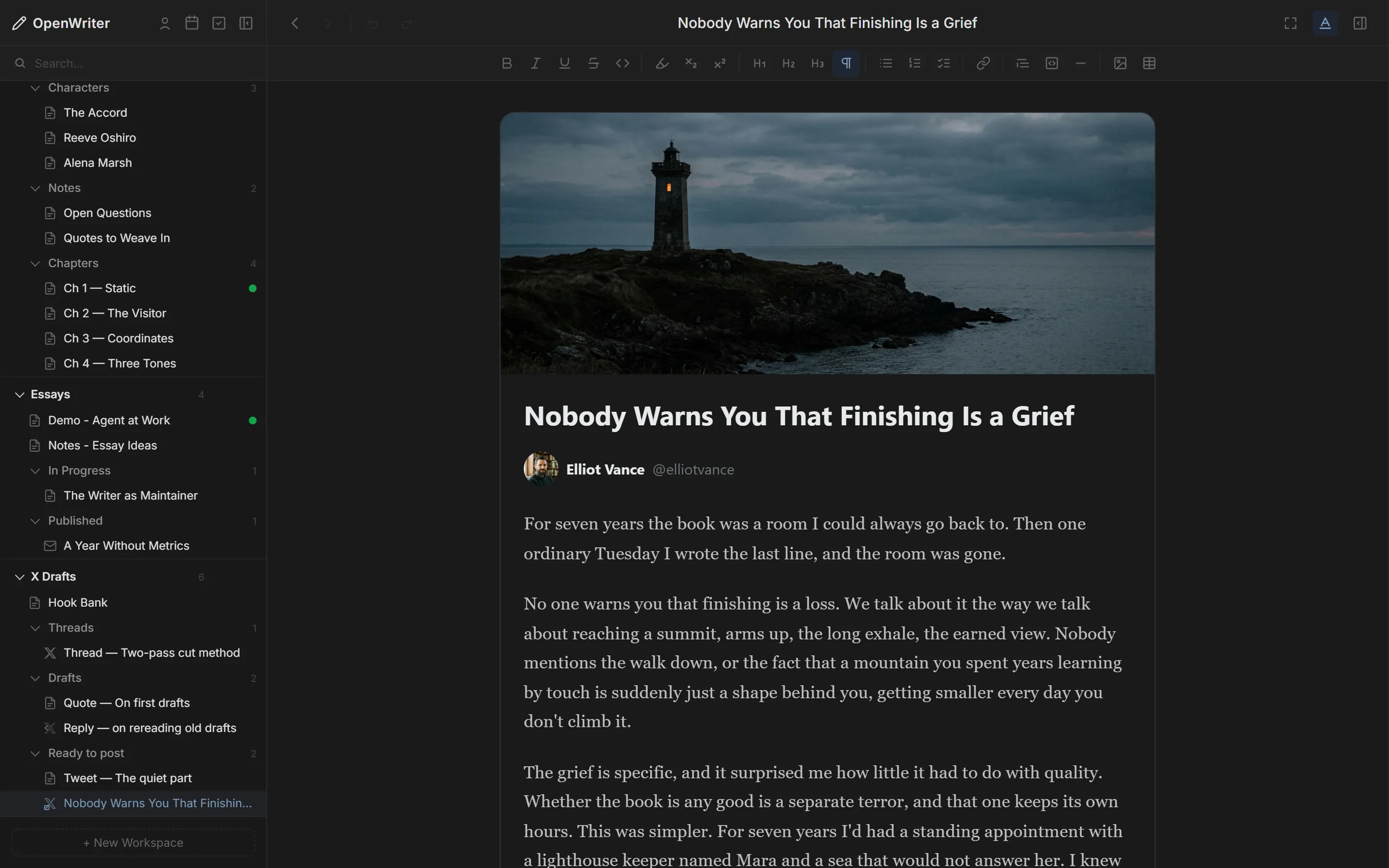
Cover image, title and body laid out the way X shows them, posted straight from the editor.
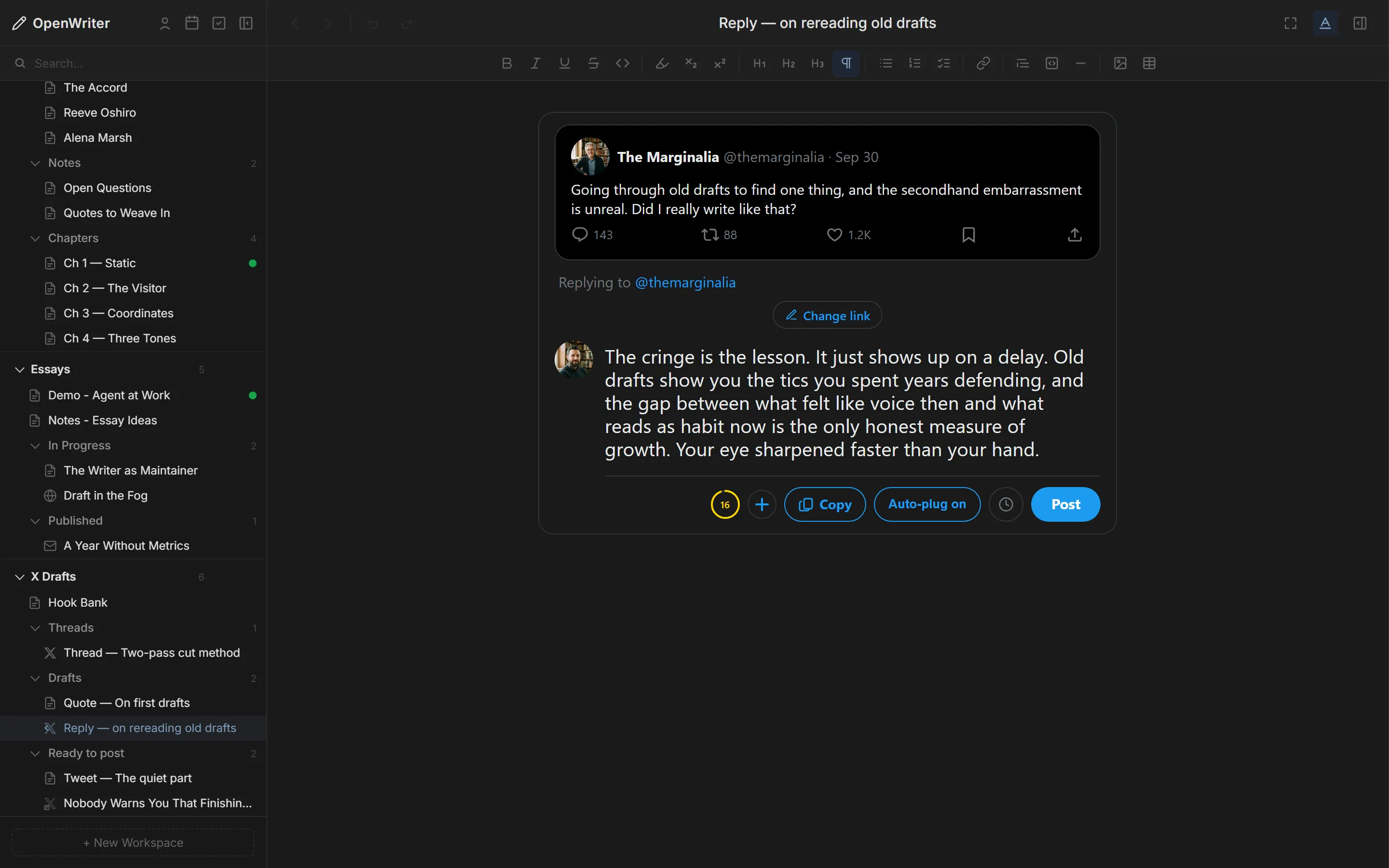
The tweet you are answering sits above your draft, so the reply reads in context.
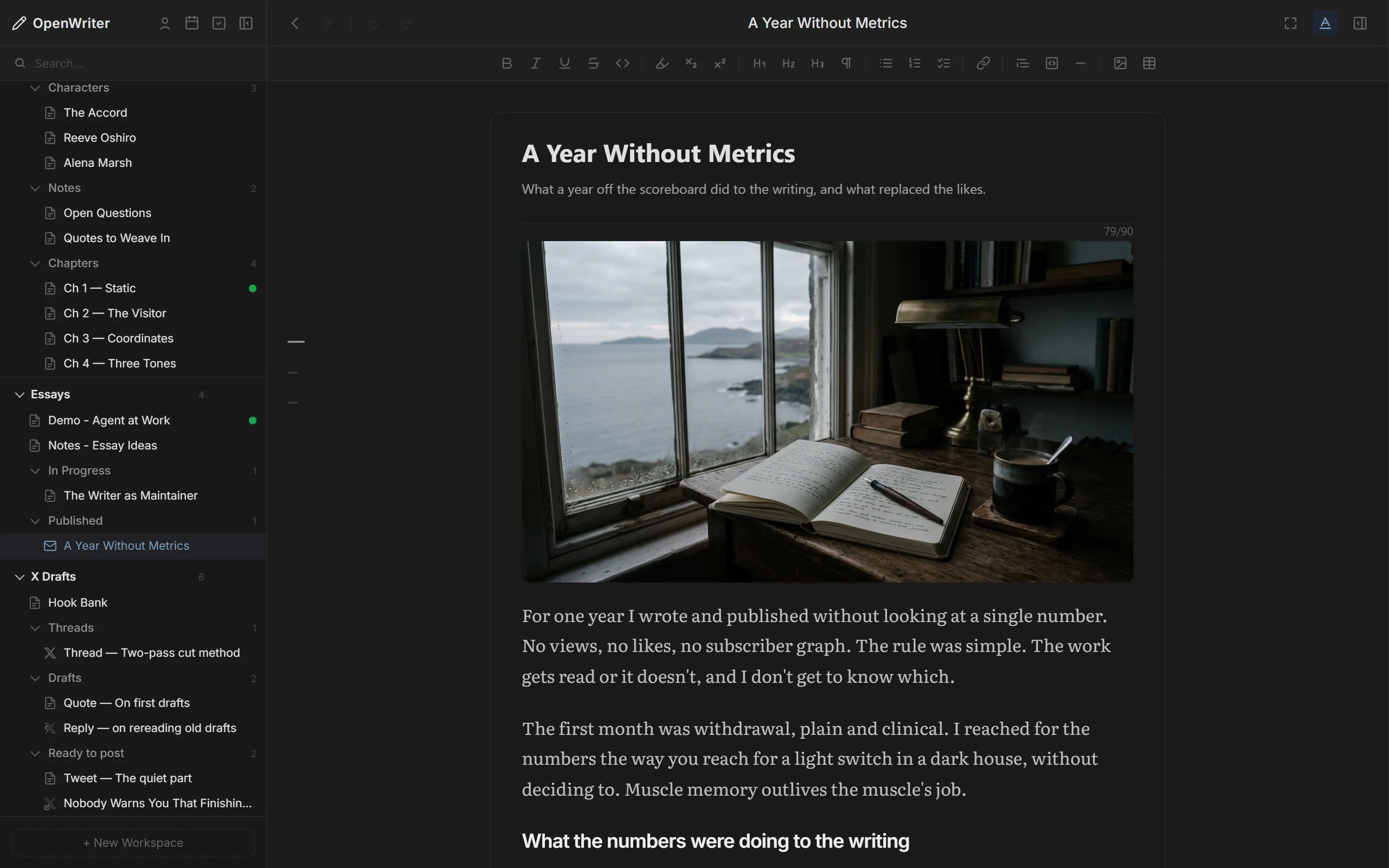
Subject, preview text and a true email preview. Send to your list without opening another tool.
Books
Finish the book you've been writing for years.
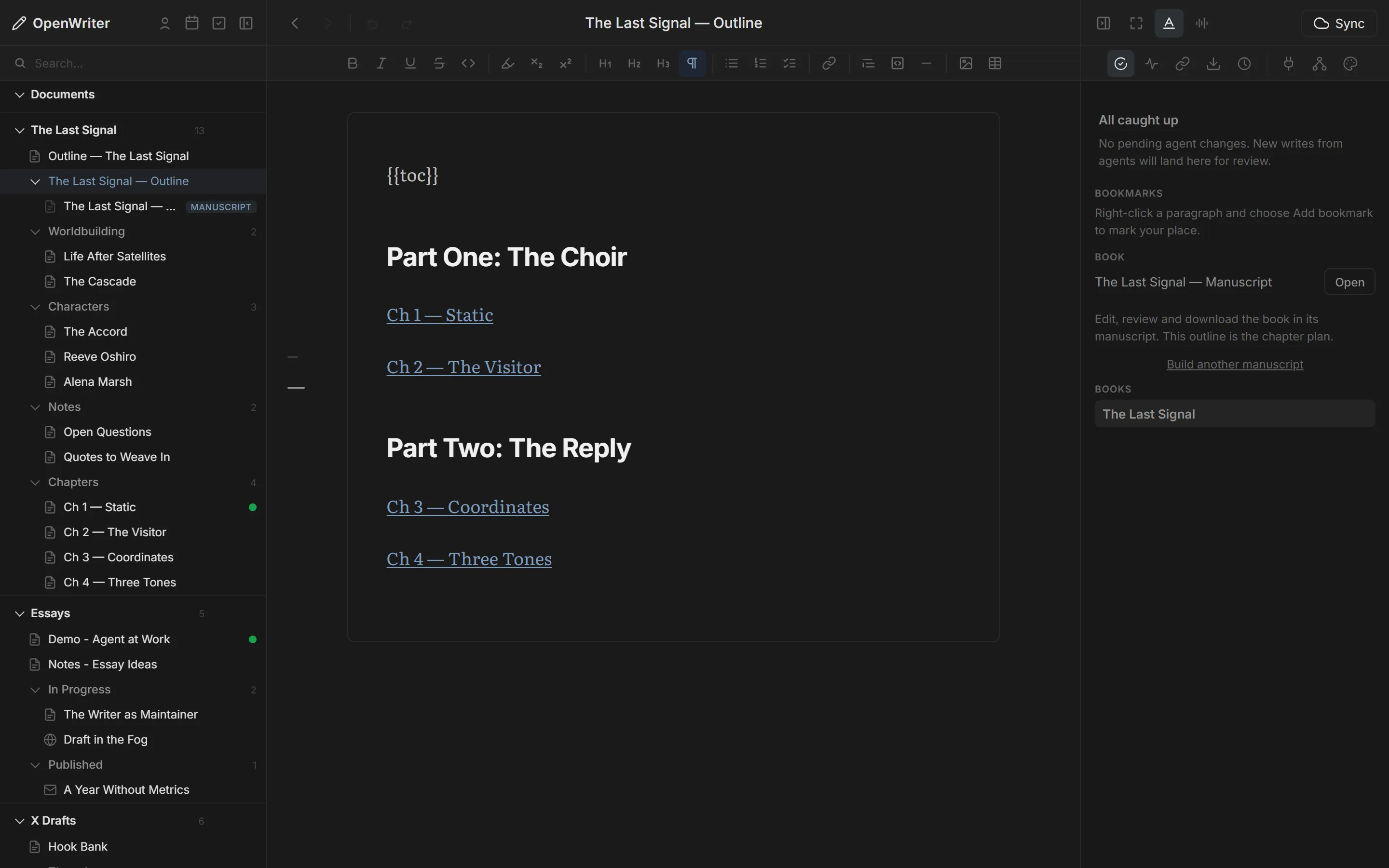
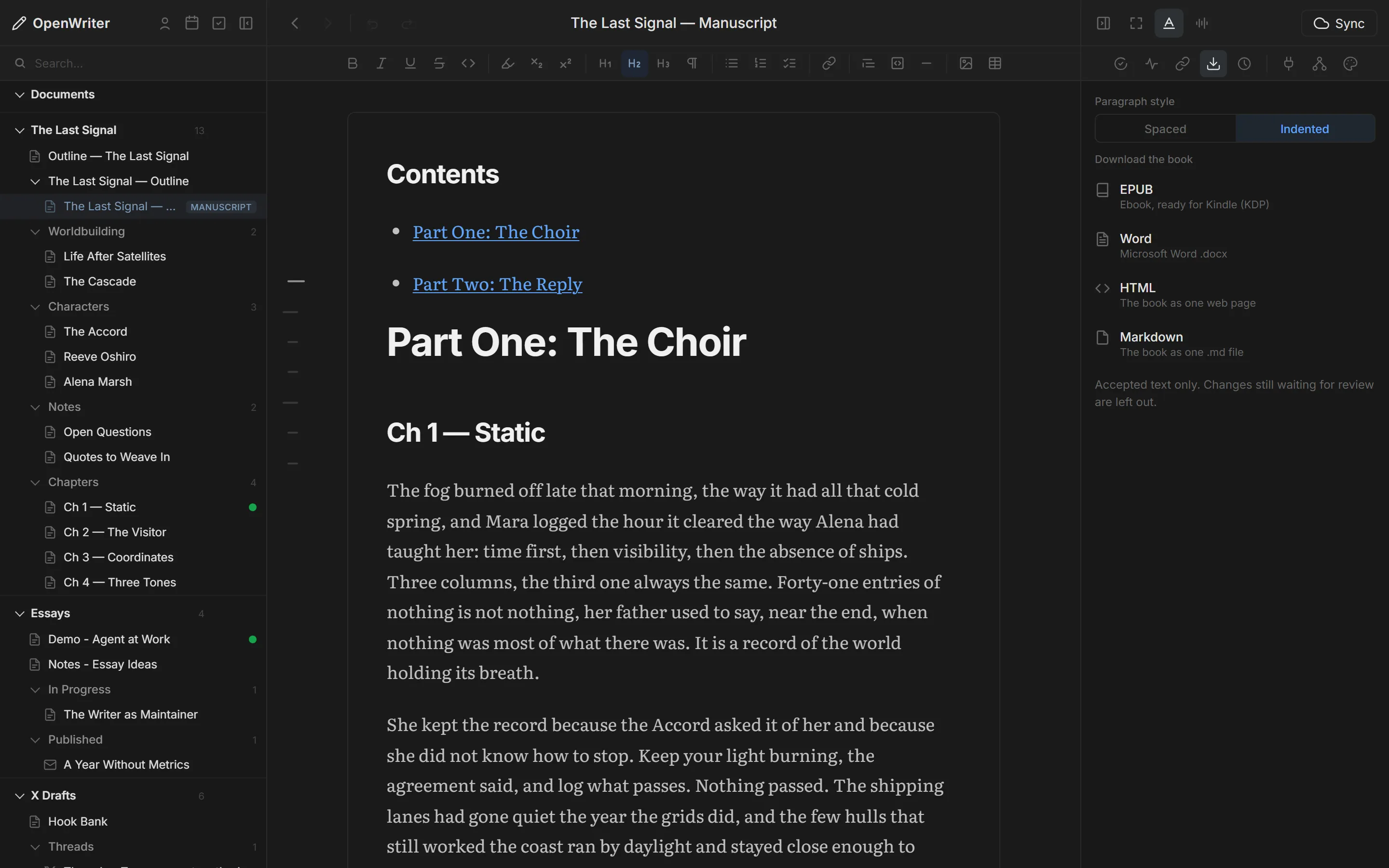
A novel is a workspace: chapters, characters and worldbuilding as separate docs your agent can read and write. When it's done, the manuscript compiles them into one book, ready for Kindle.
- PlanAn outline lists your chapters under parts. Reorder them by moving a line.
- DraftThe Book-Writer skill drafts chapter by chapter from beats, and Author's Voice keeps it in your voice.
- CompileThe manuscript binds the chapters in order. Edit a scene and the book updates.
- ExportEPUB for Kindle Direct Publishing, plus Word, HTML and Markdown.
Your voice
Know which words are yours.
Turn on Voice and every paragraph is tinted by who wrote it: you, your agent, or both. Accepting an agent's line doesn't make it yours, and the count says so.
The Author's Voice plugin learns how you write from your own pages, so rewrites sound like you instead of like a model.
Author's Voice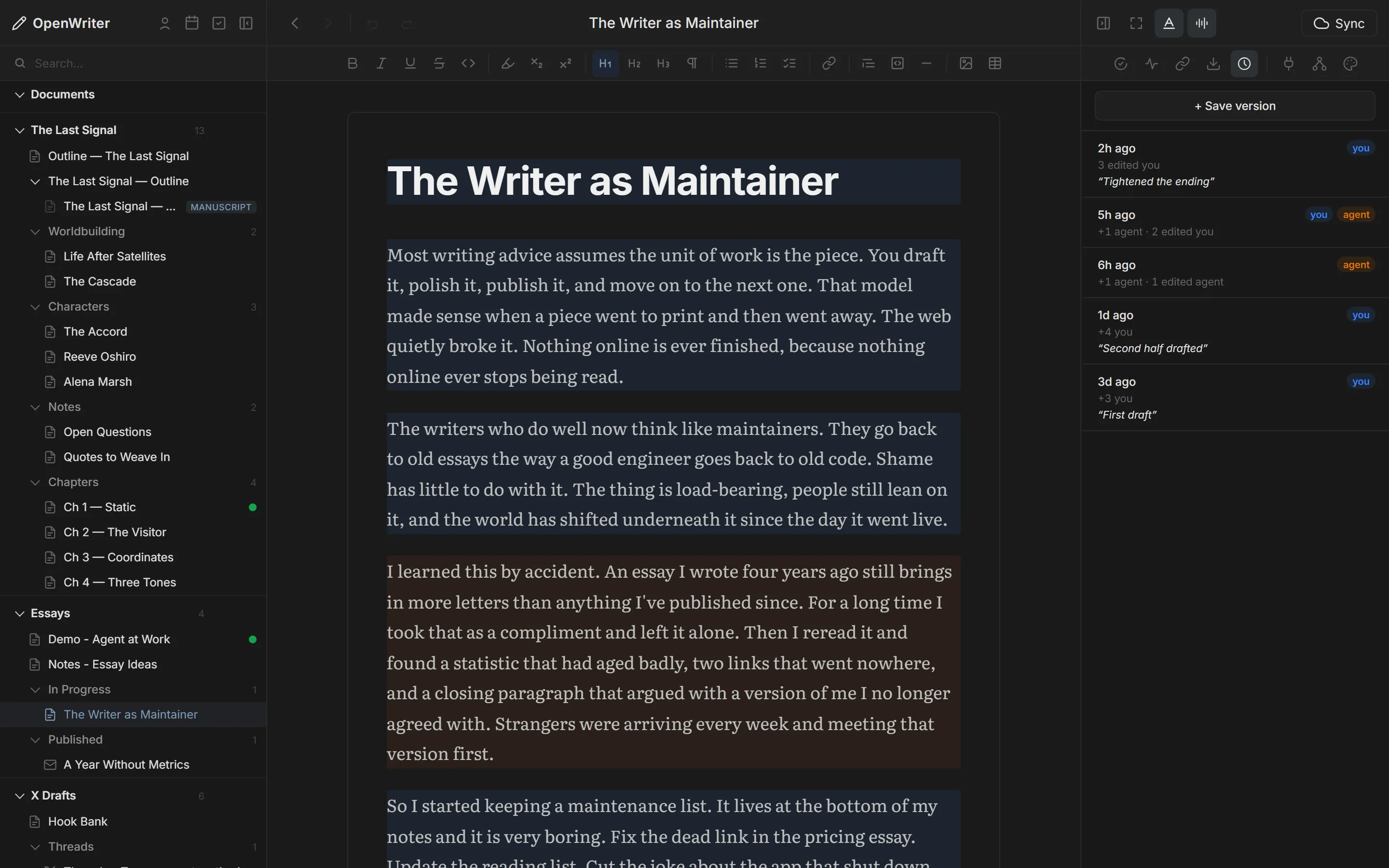
Publish
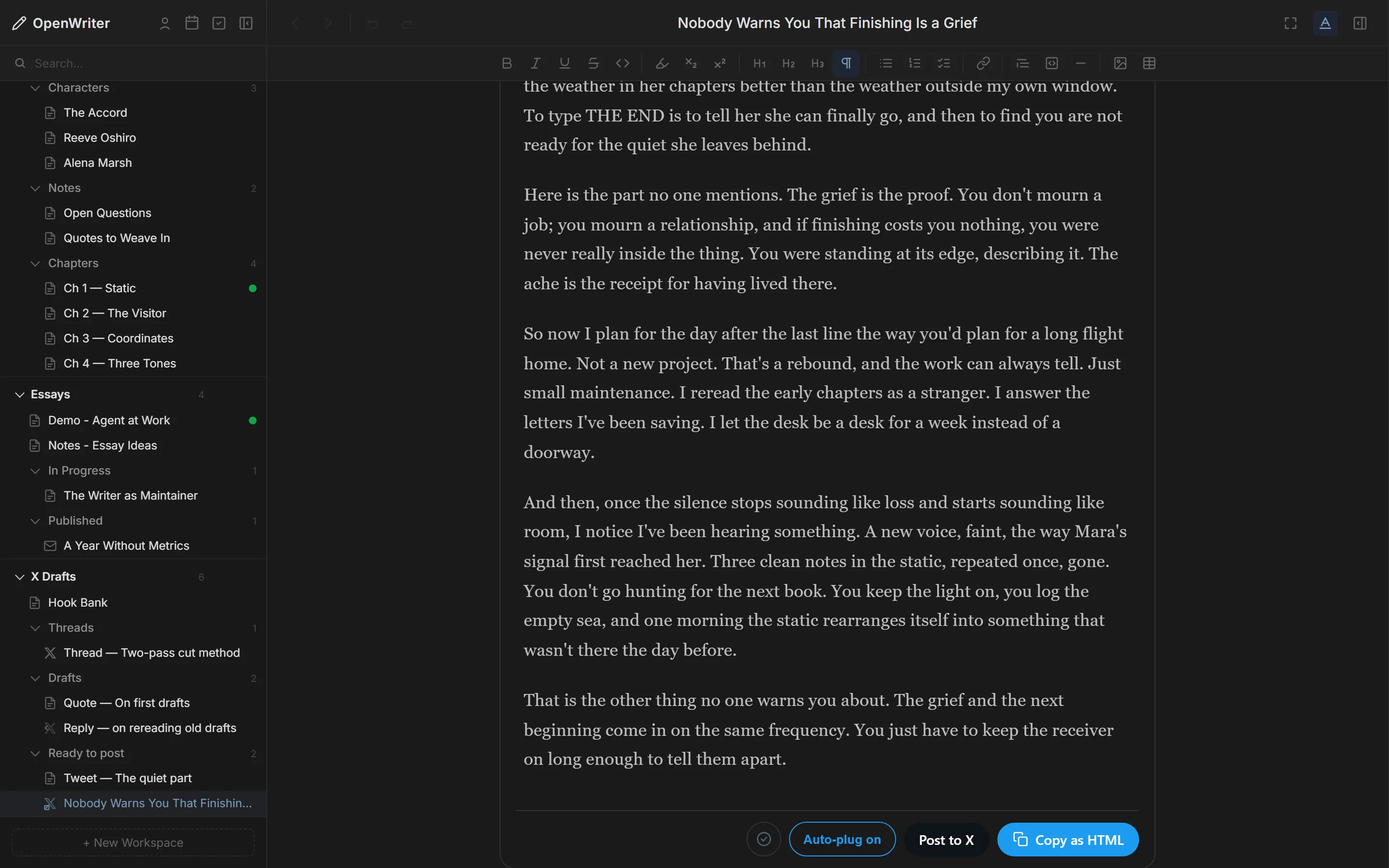
Write it here. Post it from here.
Connect once, then post now, queue it for your next slot, or pick a time. Your blog gets a real commit to its repo.
- XPosts, threads, quotes and Articles
- LinkedInUpdates in your own voice
- Your blogAstro, Next, Jekyll or Hugo via GitHub
- NewsletterYour list, your sender domain
No lock-in
Your documents are just files.
Plain .md on your disk with YAML frontmatter. No database, no proprietary format.
Move them, back them up, grep them. Every model reads Markdown natively.
- 61 MCP tools in the core editor
- MIT licensed, open source
- 5 writing skills bundled
- Versions with one-click restore
My Novel/
  Part I — Setup/
    Chapter 1 - Origins.md
    Chapter 2 - The Call.md
  Part II — Confrontation/
    Chapter 3 - Rising Action.md
  Manuscript.md
Newsletter Draft.md
Thread - Two-pass cut.md
_workspaces/
  My Novel.json
Draft your next post before you close this tab.
One command installs the skill, connects your agent and opens the editor. Free, and your words stay on your disk.